Sayr.io
Documentation for Sayr.io - Transparent, collaborative project management
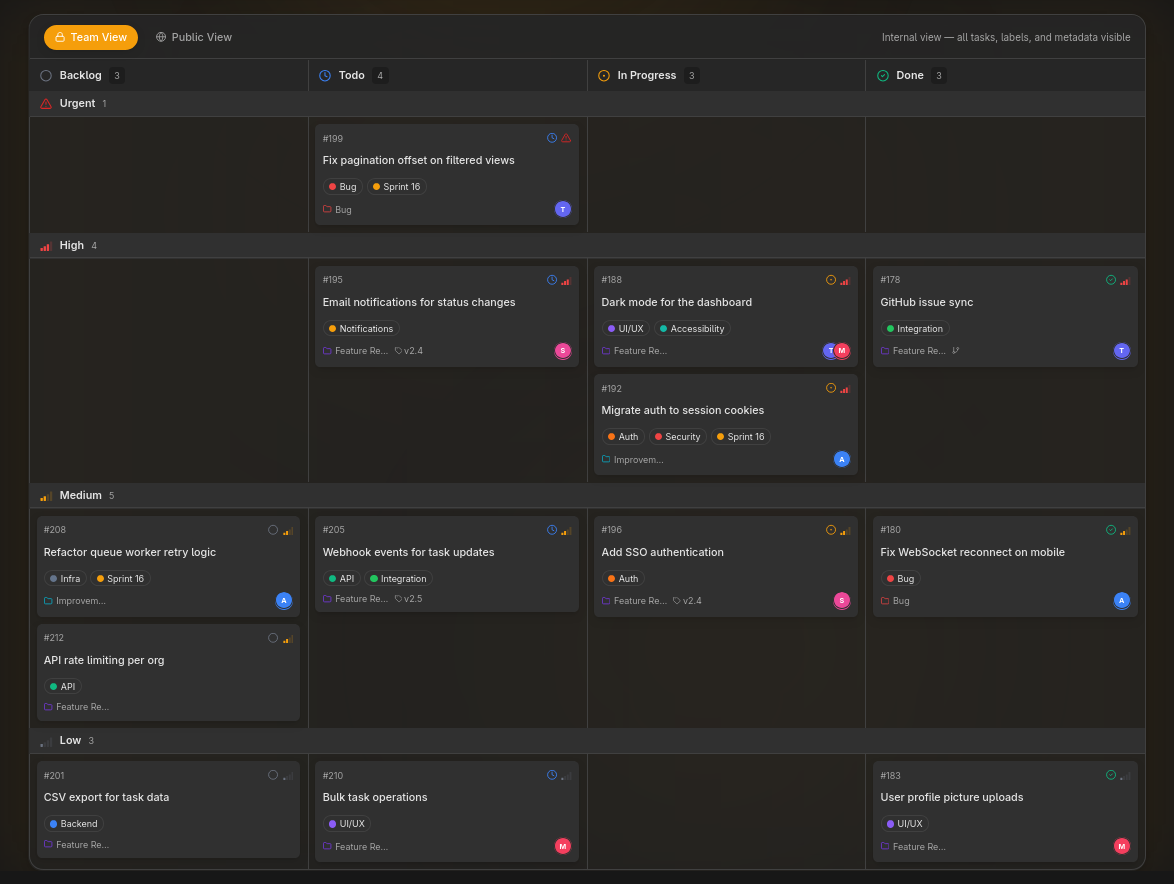
- Granular Visibility Controls: Every task, comment, label, and timeline entry can be set to public or private
- Real-time Collaboration: SSE‑powered live updates across all connected clients
- GitHub Integration: Sync issues and pull requests with your Sayr tasks bidirectionally
- Rich Text Editing: Full-featured block editor for task descriptions and comments
- Public Pages: Share your roadmap, collect votes, and accept community feedback at
{your-org}.sayr.io
- Flexible Organization: Labels, categories, releases, and saved views keep your workspace organized
| Page | Description |
|---|
| Tasks | Create, edit, and manage tasks — the core unit of your workflow |
| Subtasks | Break large tasks into smaller, trackable pieces |
| Task Relations | Express dependencies and blockers between tasks |
| Issue Templates | Standardize submissions with pre-filled task forms |
| Page | Description |
|---|
| Labels | Color-coded tags for categorizing and filtering tasks |
| Categories | Organize tasks into groups and route them to GitHub repositories |
| Views & Grouping | Customize how your task list is displayed |
| Releases | Track milestones and version releases |
| Page | Description |
|---|
| My Tasks | See all tasks assigned to you across every organization |
| Notifications & Inbox | Stay on top of task activity in real time |
| Account Settings | Manage your profile, avatar, and connected accounts |
| Security | Set up two-factor authentication, passkeys, and manage sessions |
| Page | Description |
|---|
| Overview | Create an organization, configure its name, slug, short ID, logo, and banner |
| Members & Teams | Invite members, create teams, and configure permissions |
| Preferences & Moderation | Control the public board, task submission rules, and blocked users |
| Billing | Manage your Sayr Cloud plan, seats, and subscription (Cloud only) |
| Page | Description |
|---|
| GitHub | Connect repositories and sync issues with Sayr tasks |
| Page | Description |
|---|
| AI Task Summary | Automatically summarize any task's activity and context (Cloud managed; self-hosted requires REQUESTY_API_KEY) |
| Page | Description |
|---|
| CLI | Manage tasks, comments, and releases from your terminal with the sayr command-line tool |
| Authentication & API keys | Create a personal access token, log in, and see which scopes each command needs |
| Tasks | Create, list, view, update, label, and assign tasks from the command line |
| Comments | Read, post, edit, and delete task comments |
| Releases | Create, update, publish, and delete releases, with their labels, status updates, comments, and pull requests |
| Organizations, labels & categories | Choose an organization, and list or create labels and categories |
| Guided mode | Let the CLI ask for anything you leave out, with choices pulled from your organization |
| Scripting & automation | JSON output, exit codes, non-interactive confirmation, CI, and agents |
| Configuration reference | Config file, profiles, environment variables, precedence, shared flags, and error codes |